


Cross Stitch Coloring Art
3.7689.00 Reviews
App Specs
- Version
- 0.0.708
- Updated On
- License
- Free
- Downloads
- 1,000,000+
- Developer
- Playcus Limited
- Categories
- Board
- Platform
- Android, iOS
Screenshots
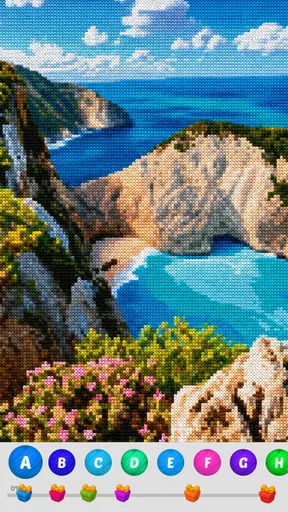
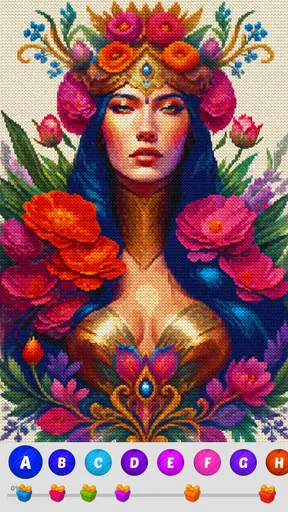
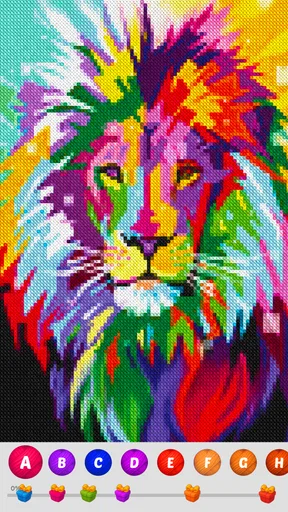
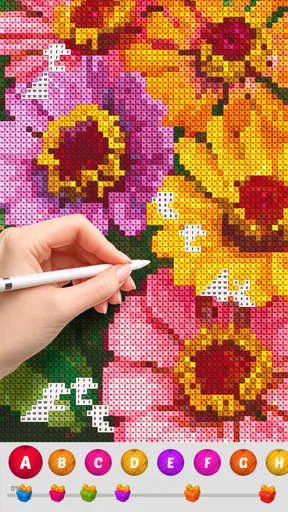
 Analysis by AppCompare
If you’re like me and find joy in the simple pleasures of life, Cross Stitch Coloring Art might just be your next favorite app. I stumbled upon this little gem while searching for a creative outlet that wouldn’t require a full art studio. This app promises a soothing experience where you can unwind and let your creativity flow, all from the comfort of your phone or tablet.
Why the grid is the heart of the game
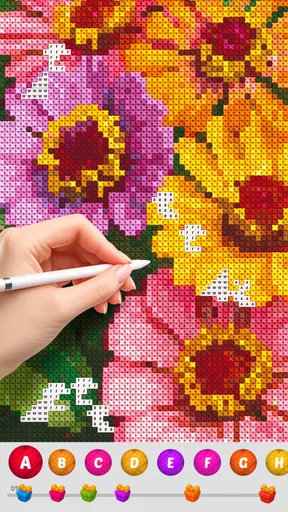
The most useful way to understand this board game is as a pattern being completed one colored square at a time. Instead of drawing freehand, I follow the design’s grid and match each spot to its color. That restriction is also the appeal: I can make visible progress without needing to invent a picture or know how to draw. The small decisions are manageable, and the finished image gives the task a clear sense of closure.
That makes the game a different kind of creative break from a sketching app. A blank canvas can be exciting, but it can also ask me to supply the idea, composition, and technique. Here, the design provides the structure, so my attention can stay on the next stitch. It also differs from a physical cross-stitch project: there is no fabric or thread to prepare, and I can put the phone down without leaving materials spread across a table. The trade-off is that tapping at a screen does not offer the tactile feel of real needlework.
A practical way to play in short breaks
I get the most from this format when I treat it as a small, self-contained activity rather than a task I must finish in one sitting. On a short break, I can choose a pattern, work through a few areas, and stop when my attention moves elsewhere. The zoom and undo tools help make that less fussy: zooming in is useful when neighboring squares are easy to confuse, while undo gives me a way back if I tap the wrong spot. I would use them deliberately instead of constantly magnifying the whole picture, which can make it harder to see how a small section fits into the overall design.
A realistic routine might be opening a pattern while waiting for a meal to cook, completing a few easy-to-read sections, and returning to it later when there is another quiet moment. If I want a calmer session, I can settle in after work and focus on the repeated rhythm of filling the grid. Those are different ways to use the same mechanic: brief sessions suit the clear, incremental progress, while a longer session is better if I want to become absorbed in a design. Neither requires the commitment of setting up a physical craft project.
Choosing a pattern and managing your attention
Because the image is built from squares, I would choose a design based on how much attention I have, not only on whether I like its subject. A pattern with clearly separated areas is a sensible place to begin when I’m tired or using a small screen. More detailed work is better saved for when I can concentrate and zoom comfortably. This is a practical way to avoid turning a relaxing pastime into a hunt for tiny cells.
The same grid can be calming or repetitive depending on my mood. If I enjoy gradual completion, the regular actions are part of the pleasure. If I want surprise, experimentation, or a fast-changing challenge, the repeated matching may feel slow. I also would not choose this as my first option when I specifically want to practice drawing skills: it is about completing a prepared design, not learning how to construct an image from scratch.
Worth Reading Before You Choose

EA SPORTS FC Mobile 26 Is a Bigger Football Game, but It Takes Time

Flipboard Shows What News Apps Must Do Beyond the Feed

Switching to Android Auto Means Rethinking Your Driving Routine

Google Calendar Makes a Crowded Week Easier to Manage

Ludo King Makes the Most of the Minutes Between Plans

Baby Panda World Brings Quick Play to Modern Phones, but Its Game Library Feels Busy
Who it suits, and what to expect
For me, the strongest audience is anyone who likes the look of cross-stitch patterns but wants a low-effort digital version, as well as people who prefer guided creative activities to open-ended art tools. It can fit into a quiet evening, a commute where phone use is practical, or a brief pause between everyday tasks. I would skip it if I needed a social board game built around turns and direct competition, or if the physical sensation and materials of traditional needlework are the main reason I enjoy stitching.
The game is free to install, with optional in-app purchases listed from $1.99 to $49.99 per item. I’d begin without buying anything and first see whether the grid-based routine holds my interest; a purchase makes more sense only if I already know what I want from the experience. The age rating is Everyone, and Playcus Limited is the developer. It has a 3.7 average from around 4,800 ratings, with more than a million installs, so I would treat it as a popular, accessible pastime rather than assume it will suit every player equally.
On Android, the listed minimum is version 7.0, and the current version is 0.0.708. It was released on December 1, 2021. Those details are useful if I’m checking whether an older device meets the basic requirement, but they don’t change the central question: do I enjoy matching colors across a grid? If I do, I can get a simple creative pause without setting up a craft table. If I don’t, a drawing app or a real embroidery project will probably feel more rewarding.
Getting Started with Cross Stitch Coloring Art
First things first, downloading and setting up the app is a breeze. Available on both Android and iOS, Cross Stitch Coloring Art is just a tap away. Once installed, you'll be greeted with a vibrant and intuitive interface that invites you to dive right into the world of digital cross-stitching.
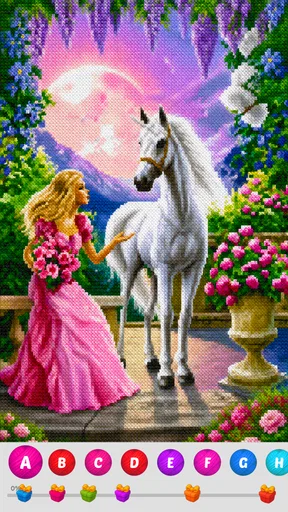
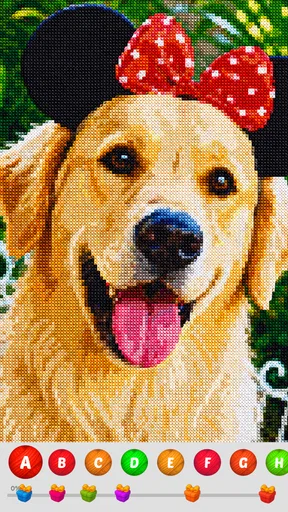
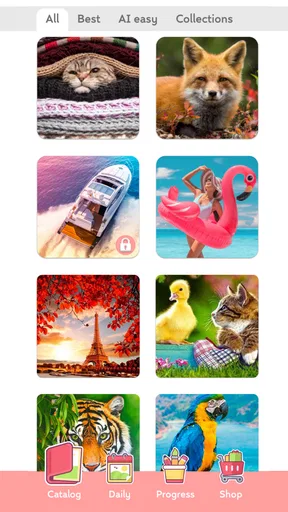
The app offers a plethora of patterns to choose from, catering to all kinds of tastes. Whether you're into floral designs, cute animals, or intricate mandalas, there's something for everyone. What I love is that you don’t have to be a seasoned artist to enjoy this app. Just pick a pattern, and you’re good to go!
The Stitching Experience
Now, let’s talk about the actual stitching experience. The app turns your device into a virtual canvas where each pattern is divided into a grid. Your task is to fill in the squares with the corresponding colors, similar to a paint-by-numbers system. It’s incredibly satisfying to see the image come to life as you complete each section.
One of the standout features is the zoom function, allowing you to get up close and personal with your work. This is particularly handy for those intricate details that require a bit more precision. Plus, there’s an option to undo any mistakes, which is a lifesaver for those of us prone to the occasional slip-up!
Relaxation and Mindfulness
What truly sets this app apart is its ability to promote relaxation and mindfulness. As someone who often finds themselves caught up in the hustle and bustle, I find it incredibly calming to spend a few minutes (or hours, no judgment) stitching away. The gentle background music and soft clicking sound of each stitch add to the meditative experience.
It’s the perfect way to unwind after a long day. Whether you’re lounging on the couch or on a quick break at work, the app is there to offer a moment of peace and creativity.
Customization and Sharing
Once you’ve completed a pattern, the app allows you to share your masterpiece with friends and family. There’s something immensely satisfying about showing off your finished work, and the app makes it easy to post your creations on social media platforms.
Additionally, the app offers a range of customization options. You can choose different color palettes to suit your mood or even create your own patterns. This adds a level of personalization that keeps the experience fresh and engaging.
Final Thoughts
In a world where we’re constantly bombarded with noise and distractions, Cross Stitch Coloring Art offers a much-needed escape. It’s an app that combines creativity, relaxation, and a touch of nostalgia, all wrapped up in a user-friendly package.
Whether you’re a seasoned cross-stitcher or a complete newbie, this app has something to offer. So go ahead, give it a whirl, and let your creativity shine. You might just find it’s the perfect antidote to a stressful day.
Pros
- User-friendly interface with intuitive controls.
- Extensive library of patterns to choose from.
- Relaxing and therapeutic coloring experience.
- Offline access for uninterrupted enjoyment.
- Regular updates with new patterns.
Cons
- Limited free content without in-app purchases.
- Some users report occasional app crashes.
- Ads can be intrusive during gameplay.
- Requires a stable internet connection for updates.
- Color variations could be more diverse.
FAQs for Cross Stitch Coloring Art
What is Cross Stitch Coloring Art?
Cross Stitch Coloring Art is a creative and relaxing mobile application that allows users to engage in virtual cross-stitching. By selecting from a variety of patterns and color palettes, users can simulate the traditional art of cross-stitching on their devices. The app provides a unique experience for both beginners and seasoned hobbyists.
Is Cross Stitch Coloring Art free to use?
Cross Stitch Coloring Art offers a free version with access to a selection of patterns and colors. However, to unlock additional features and a wider variety of patterns, users may opt for in-app purchases or a subscription model. This ensures that users can tailor their experience according to their preferences.
What devices are compatible with Cross Stitch Coloring Art?
Cross Stitch Coloring Art is available for both Android and iOS devices. It is compatible with most smartphones and tablets running the latest operating systems. Users should check the app store listing for specific device compatibility and ensure that they have sufficient storage and system requirements before downloading.
Does Cross Stitch Coloring Art require an internet connection?
Cross Stitch Coloring Art can be used offline for most of its basic features, such as accessing downloaded patterns and stitching. However, users will need an internet connection to access new patterns, updates, and any cloud-based features. It’s advisable to connect to Wi-Fi for downloading large updates or additional content.
Can I save and share my completed designs in Cross Stitch Coloring Art?
Yes, Cross Stitch Coloring Art allows users to save their completed designs directly on their devices. Additionally, the app provides options for sharing your creations on social media platforms or with friends through email and messaging apps. This feature makes it easy to showcase your creativity and progress with others.


